

 ou try to listen to a single album on your phone, and within three minutes you are knee-deep in work notifications, message pings, and algorithmic recommendations trying to steer you toward a completely different playlist. Fosi Audio decided to fix this exact exhaustion by launching the DAP Neo music player for a starting price of $79.99, putting local files back into a dedicated device you can pick up just to listen. If you want a physical tool to escape ecosystem lock-in, this gadget strips away the noise and leaves you with actual buttons and a scroll wheel.
Fosi Audio officially launched the DAP Neo on October 10, bringing the device to market with a metal housing finished with an anti-glare glass back, a weight of 75 grams or less, and dimensions of 97 × 47 × 10.6mm [7, 8, 12]. The player pairs its tactile control wheel with side buttons and a 2.4-inch, 320 × 240 display, giving you a completely self-contained unit that requires zero background data syncing or active network coverage.
The $79.99 starting price covers the Galaxy or Obsidian finish with the 16GB card. Both versions accept microSD cards up to 256GB, so choosing the cheaper one doesn’t lock the player to 16GB for its lifetime [2, 3, 4].
That makes the entry model the sensible starting point if you already have a suitable microSD card or plan to choose your own. Paying another $40 gets the larger included card, but it does not raise the listed expansion limit, meaning that the extra spend for the 64GB version is economically pointless if you have spare storage lying around your desk [3, 4]. Fosi Audio lists support for MP3, FLAC, WAV, APE, M4A, and DSD formats, and the included USB cable handles both charging and data transfers.
Sound Quality and Hardware Realities
Inside the metal chassis sits a Cirrus Logic CS43198 DAC paired with a 3.5mm single-ended headphone output, which delivers the core audio processing for your local files.
Bluetooth is available too, though Fosi Audio specifies SBC as the codec, meaning you need to keep that technical limitation in mind. Support for a high-resolution FLAC file on your microSD card does not promise lossless delivery over a wireless Bluetooth connection due to the compression introduced by the SBC codec. If you actually care about sound quality, using the 3.5mm wired output bypasses that compression entirely and justifies carrying a dedicated player instead of just using your phone.
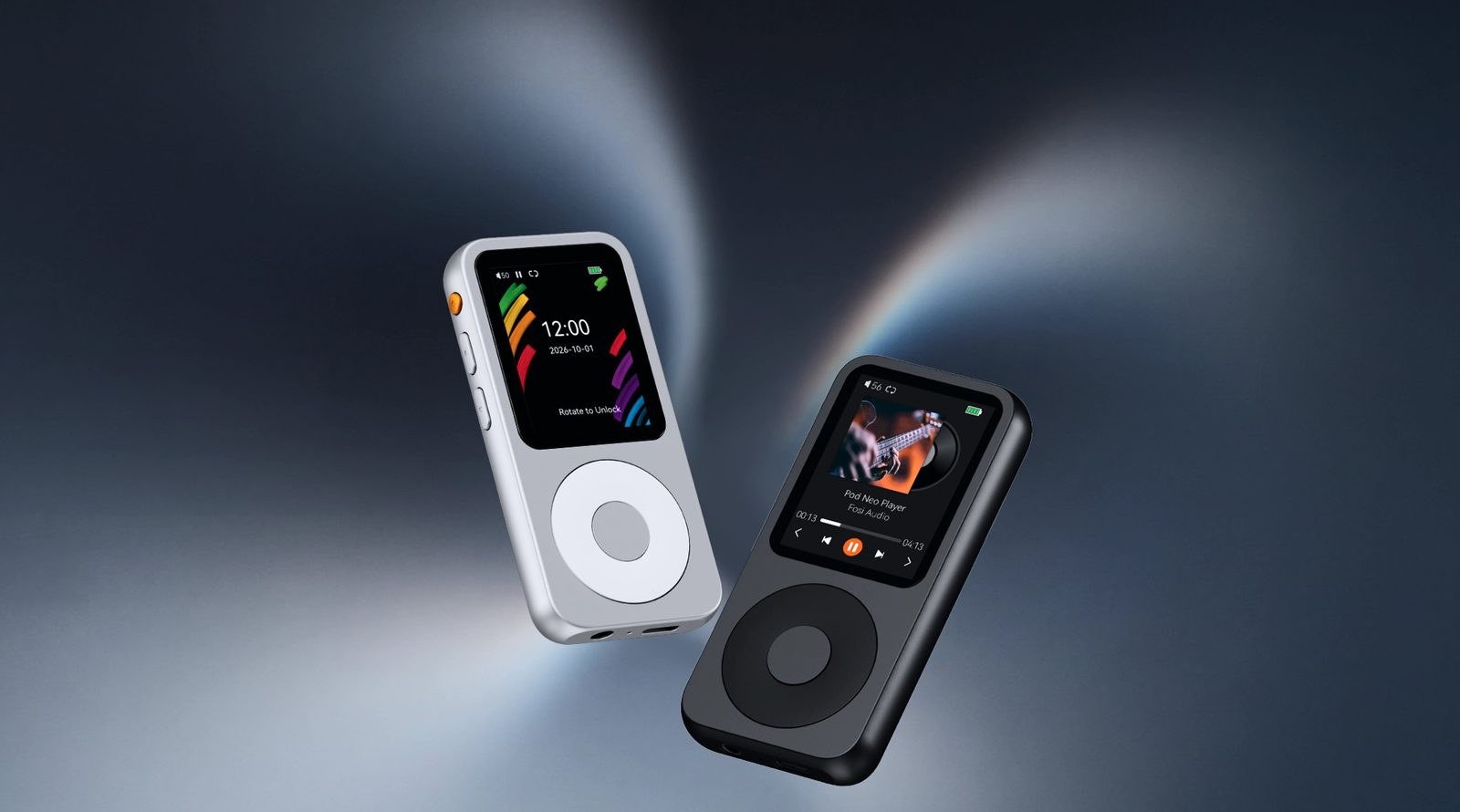
Who This Is Actually For
This device makes sense if you have spent years collecting digital albums as files and want a straightforward way to play them without a monthly subscription fee hanging over your head. The appeal is strongest for anyone who is entirely fed up with streaming apps that demand constant connectivity and push unwanted recommendations.
The appeal is strongest when you already have music files ready to load and want a compact place to keep them.
At the same time, this is not a modern smartphone replacement, and treating it like one will only lead to disappointment. You have to manually manage your library, drag and drop files via USB, and give up the infinite catalog of streaming services entirely. If you refuse to organize your own music files or rely entirely on cloud recommendations, an offline player will end up sitting in a drawer within a week.
Fosi Audio delivers a focused, single-purpose tool that costs $79.99 at the entry level and cuts through the software bloat of modern mobile devices [1, 2]. Skip the overpriced 64GB configuration, drop in your own high-capacity microSD card, and leave your phone in another room when you actually want to hear an album from start to finish [3, 4].