
 ou buy a massive metal box with a tempered glass side panel, drop a graphics card into its default slot, and three minutes later you are wondering why your PC sounds like a jet engine preparing for takeoff. For decades, the computer hardware industry has insisted on a rigid blueprint: the motherboard lies flat or upright, and the graphics card sticks out perpendicular to it, inhaling whatever stagnant hot air the processor happens to exhale. It is a layout designed for cheap, automated assembly line manufacturing on a factory floor, not for the laws of thermodynamics. High-end graphics cards have long since evolved into roaring furnaces that devour hundreds of watts of power, yet PC cases continue to be engineered like filing cabinets from the 1990s.
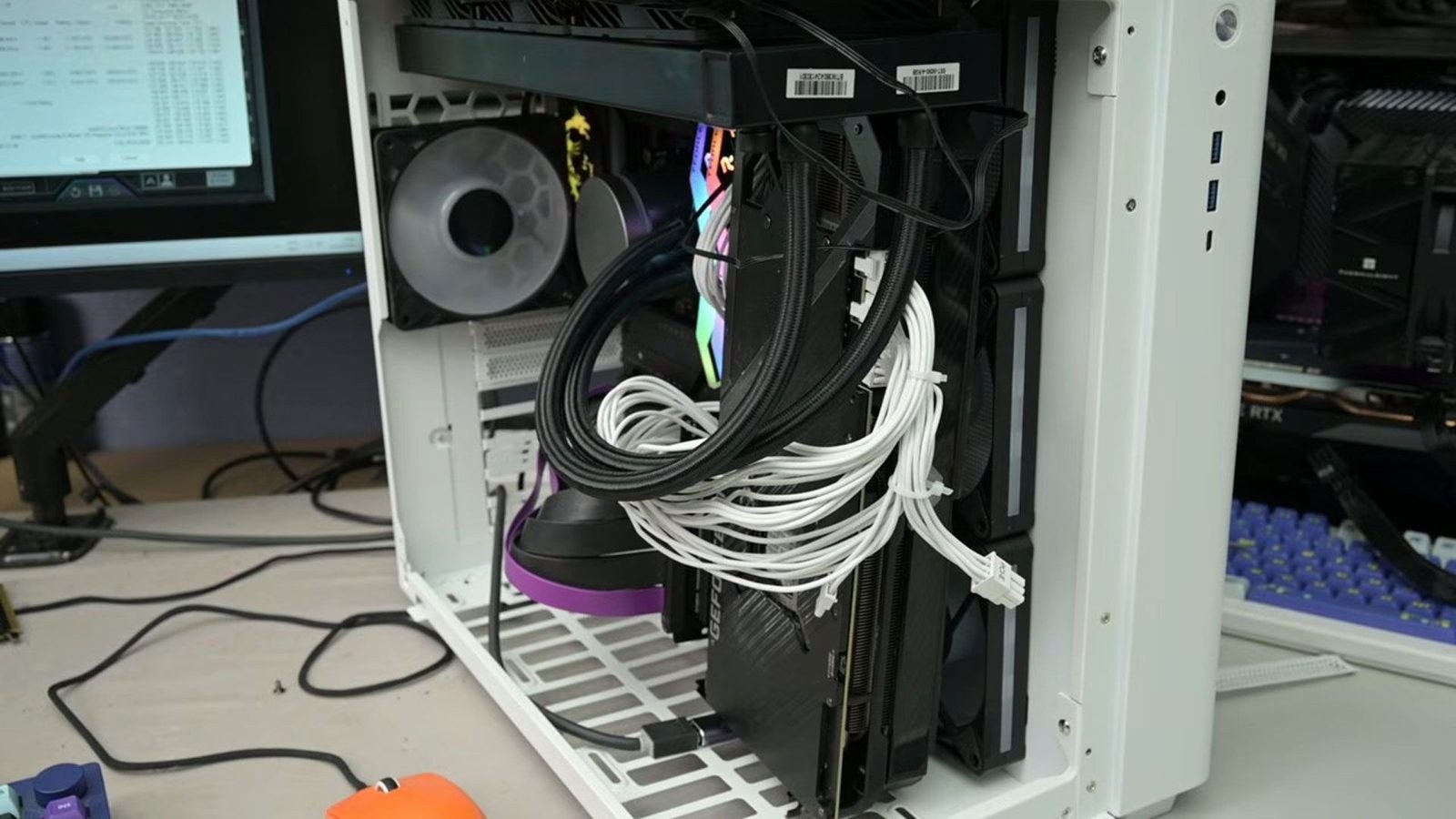
Modder and hardware enthusiast TrashBench decided to find out what happens when you throw out decades of lazy layout conventions and actually give your components some breathing room. Armed with a desktop PC featuring an RTX 3080, he subjected the machine to a brutal stress test: baseline performance and heat metrics were recorded under constant heavy loads, cycling through the 3DMark Time Spy benchmark and the built-in 7-Zip archiver test with fan speeds locked for experimental consistency, as noted by Tom's Hardware. The results laid bare the truth that the classic PC layout is buckling under the thermal output of modern hardware, and that simply shifting components around inside the chassis changes everything.
When the Graphics Card Refuses to Stay in Its Lane
Throwing out the rulebook on GPU placement paid off immediately. By detaching the graphics card from its traditional motherboard slot, TrashBench shaved a staggering 19°C off the GPU's hotspot temperature. It turns out that the standard PCIe slot location exists entirely out of historical inertia rather than any genuine concern for thermal efficiency.
completely ignoring the accepted norms of GPU placement delivered up to a 19°C hotspot temperature reduction
Naturally, running a hardware layout completely untethered from the motherboard introduced a brand-new set of headaches. Moving the graphics card into unconventional zones inside the chassis starved the central processor of fresh airflow, sending CPU temperatures climbing. If you want to replicate these experiments at home, you will need a specialized flexible PCIe riser cable—an accessory that lets you physically relocate the graphics card away from its default slot without snapping the connection.
Finding a Sane Compromise for a Real Living Room PC
After a grueling series of trials with fan placements and radiator swaps, TrashBench landed on a balanced configuration that ordinary builders can actually replicate in a standard desktop case without turning their system into a hazardous science project. In this optimized layout, the CPU was mounted vertically right against the side intake fans, while the processor's liquid cooling radiator remained in a classic exhaust orientation. The payoff is entirely practical.
resulted in a 14°C reduction in hotspot temperatures and a 3.3°C cooler CPU
For anyone looking to build or upgrade a machine today, the takeaway is hard to ignore. Mainstream PC cases are routinely sold on the promise of aesthetic glass panels rather than basic physics, leaving users to choke their own hardware in the name of visual flair. A sensible, airflow-first layout knocks 14 degrees off a graphics card and 3.3 degrees off a processor without forcing you to shell out for exotic custom water-cooling loops. Case manufacturers would rather sell you RGB lighting than fix the thermal bottlenecks built into their products, which means keeping your components cool still requires taking matters into your own hands.