
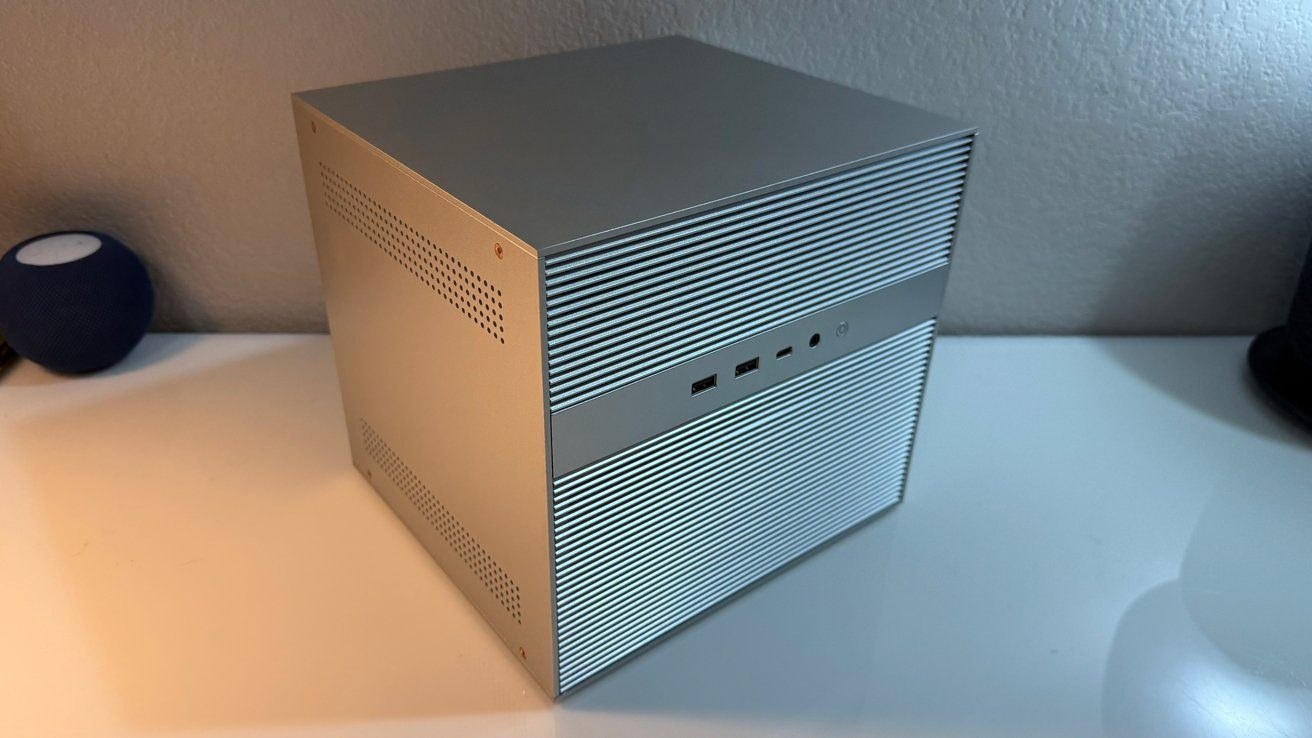
 imaCube 2 is a six-bay network-attached storage device (a home file server accessible to all your devices) built for anyone refusing to rent space in closed ecosystems or pay monthly ransoms for cloud archives. The $799 base model gives enthusiasts a machine running the proprietary ZimaOS Plus system without forcing you to stay locked into it, as AppleInsider reports. That means you are entirely free to wipe the drive and install whatever operating system you actually want on your home server.
Beneath that open software policy sits a thoughtfully engineered build. IceWhale crafted the ZimaCube 2 in a dark-gray metal chassis with a magnetic front panel, making the device look much more like a desktop PC than a gloomy server rack, notes AppleInsider. Six hard drive bays sit right behind that front panel, while a seventh bay handles expansion via solid-state drives (fast, silent storage chips using flash memory, SSDs). The front panel also packs a USB-A port, a USB-C port, an audio jack, and a power button. Around the back, you will find two Thunderbolt 4 ports (high-speed universal ports for data transfer and monitor hookups), two 2.5GbE jacks (network ports for fast wired internet), HDMI 2.0, DisplayPort 1.4, another USB-A port, and a power input. An RGB light strip (multicolor LEDs) runs across the front, blinking red whenever a drive demands attention.
ZimaCube 2 uses a dark-gray metal chassis with a magnetic front panel.
As for noise, IceWhale claims the device keeps decibel levels around 30, writes AppleInsider. During the publication's testing, the machine produced slightly more sound under heavy strain: office background noise rose from 36 decibels to 42, though swapping the stock fans for Noctua units (a well-known maker of quiet PC fans) dropped that figure down to 38. The chassis feels like standard PC sheet metal with no sharp edges, and the fans are easily replaceable and upgradeable, as AppleInsider emphasizes.
Capacity, Speed, and Bandwidth
Under the hood, the base model runs on an Intel Core i3-1215U—a six-core, eight-thread mobile chip that scored 1,771 in Geekbench 6 single-core testing (a benchmark program for measuring processor performance) and 8,083 in multi-core on AppleInsider's test bench. Storage capacity is where the system gets genuinely ambitious. IceWhale claims support for up to 212 terabytes of total capacity by combining six 30-terabyte hard drives and four 8-terabyte NVMe solid-state drives, according to AppleInsider. The seventh bay houses four M.2 NVMe slots for a tiered setup where lightning-fast SSDs handle active projects while mechanical hard drives take care of long-term archives.
Yet that seventh bay exposes a glaring limitation in the base model. IceWhale rates its bandwidth (the volume of data transferred per second) at roughly 800 megabytes per second across all four slots combined, reports AppleInsider. The Pro and Creator Pack versions hit roughly 3,200 megabytes per second in that exact same bay, creating a fourfold performance chasm for heavy video editing workflows. In practice, the maximum SSD speed maxes out a gigabit network connection and nothing more, though all six hard drives pooled into a reliable RAID array (a technology combining multiple disks to protect against data loss) are capable of precisely the same thing, as AppleInsider observed.
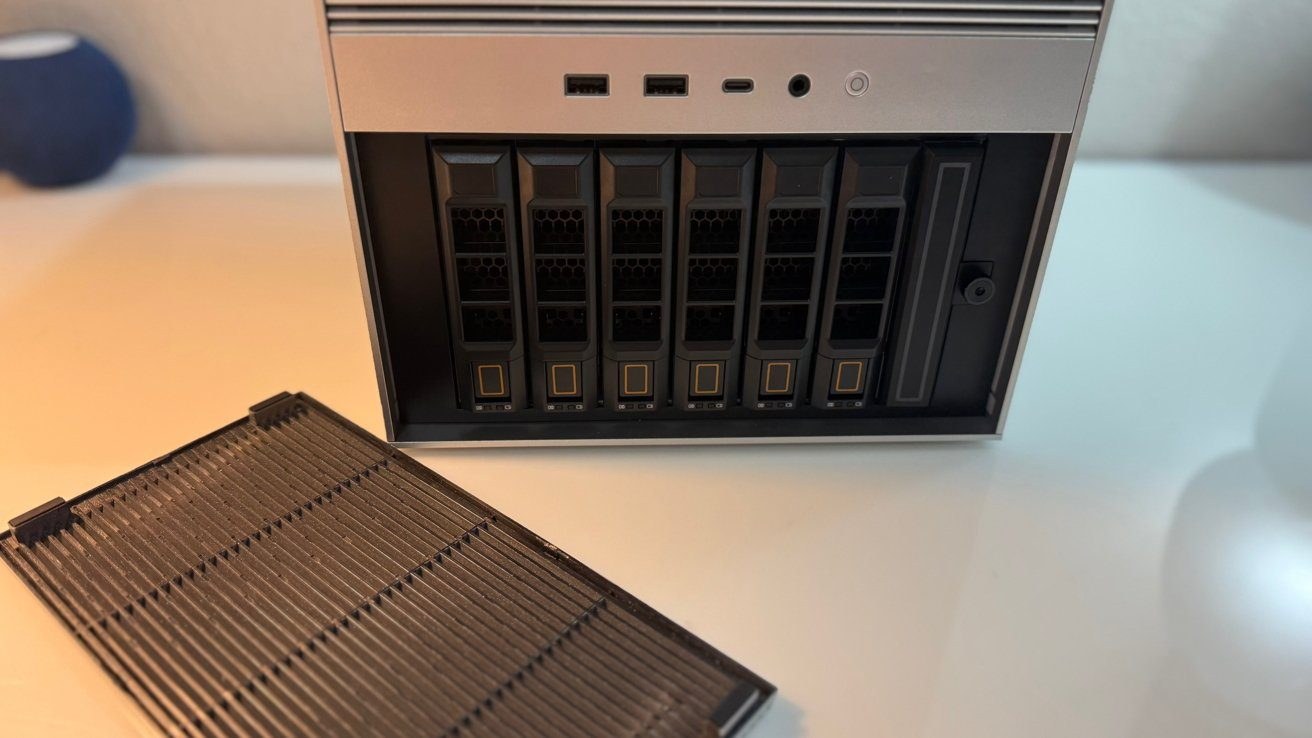
IceWhale claims support for up to 212 terabytes of capacity.
Real friction surfaces around the connectivity ports. Two Thunderbolt 4 ports sit on the back, and IceWhale markets them as a direct 40Gbps connection to a Mac, which is not entirely accurate, per AppleInsider. Those ports use a networking bridge over Thunderbolt rather than a direct drive connection. Actual speeds across that bridge turn out significantly lower than advertised, writes AppleInsider. IceWhale's promotional materials promise zero network configuration required, which is also untrue since a Thunderbolt network link demands manual network setup through an alternative cable, explains AppleInsider. Even so, it remains a genuine step forward because the twin 2.5GbE network jacks cannot touch those speeds.
What This Means for You and Whether to Buy
For $799 in the base configuration, you get a machine that respects your right to own your data without tying you to a manufacturer's walled garden. You also get six bays for standard hard drives, user-swappable cooling fans, and honest multi-gigabit speeds via the Thunderbolt network bridge. If you need complete control over your home media library and backups without paying a subscription fee, this hardware lays down a solid foundation.
At the same time, you will have to look past the marketing gloss. The promised Thunderbolt speeds effectively get cut in half due to network routing instead of direct memory access, and the base SSD module suffers from severe bandwidth throttling compared to the Pro tiers. We were promised a direct 40Gbps pipe with zero tinkering, but got a network bridge that demands babysitting. If you can live with those caveats, this is a rare gadget that genuinely lets you run your digital life on your own terms.